
Making a game
Script it, code it, or wire it
Whatever writes a Novella game produces a story and its definitions, and the same runtime plays them. A script folder becomes a C# program with a few lines of code, and a Divooka graph can load the same scripts from the document's own library.
One · Scripts
A folder of scripts is a game
Scripts are UTF-8 text files with the .novella extension, and several merge into one story. Indentation makes blocks; dialogue is a speaker and a quoted line; menu offers choices; $ changes a variable. A writer who knows Ren'Py will recognise it at once.
Images are named from their paths, so there is no bookkeeping: bg/garden.jpg is the image bg garden and sprites/qinglan/smile.png is qinglan smile. A story can be played before any art exists, because what it cannot find is drawn as a placeholder.
The lint checks a story against its files, and in developer mode Shift+R reloads the scripts while the game plays and Shift+O opens a console where jump label warps.
define config.title = "The Garden"

character q "Qinglan" color "#c0392b" image qinglan
default met_before = false

label start:
    scene bg garden with fade
    "Plum blossom, and nobody in the garden but one girl with a guqin."
    show qinglan smile at right with dissolve
    q "You came."
    menu:
        "I did.":
            q "Then sit with me a while."
        "I was passing.":
            $ met_before = true
            q annoyed "Of course you were."
    q "Listen, then."
    return
Two · C#
A game in a .NET program
NovellaGame is the C# entry point: add the asset folder, load the scripts, run. Code can do what a script cannot, so a story asks the program for something with run, and the answer lands in _return.
A game can also be a class: derive from NovellaGame and override Setup to configure it, Command to implement commands, and LabelEntered and GameEnded to react. Implement Script and the story is a procedure, a live script, which Ren'Py has no equivalent of.
using Novella;
using Novella.Values;

NovellaGame game = new("The Garden", 1920, 1080);
game.AddAssetFolder("Assets");
game.LoadScriptsFromAssets();
game.RegisterCommand("riddle", arguments =>
    Value.FromBoolean(arguments[0].AsText() == "moon"));
game.Run();
$ answer = "moon"
run riddle answer
if _return:
q "Correct."Three · Divooka
A game drawn as nodes
The Divooka package makes every Novella concept a node, and the nodes compose in all four kinds of Divooka graph. The procedural graphs run a game; the functional graphs describe one as data and preview it.
| Graph | What it does with Novella |
|---|---|
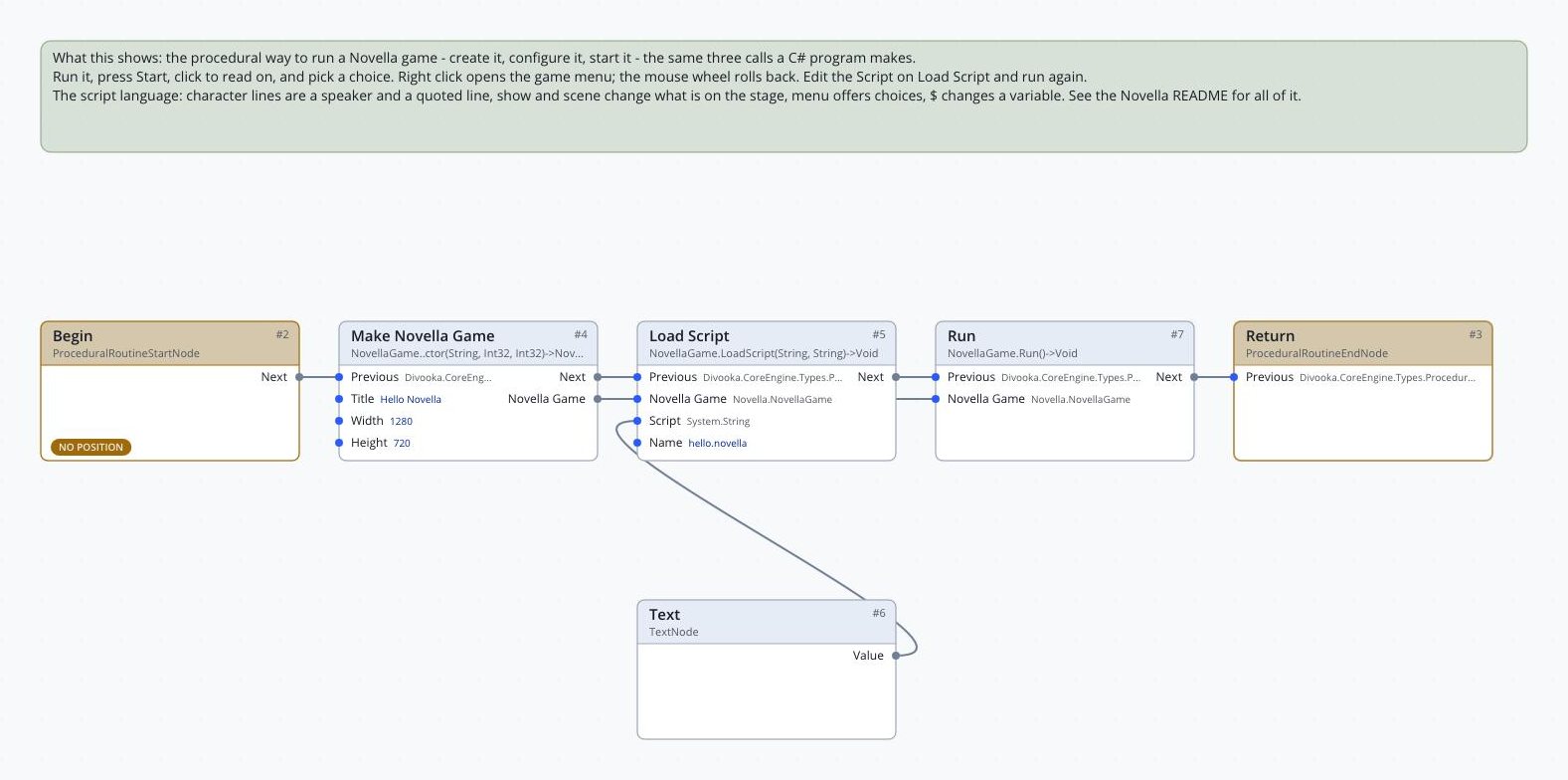
| Routine | A procedure that creates a game, configures it, loads its content and runs it: the C# program as nodes. |
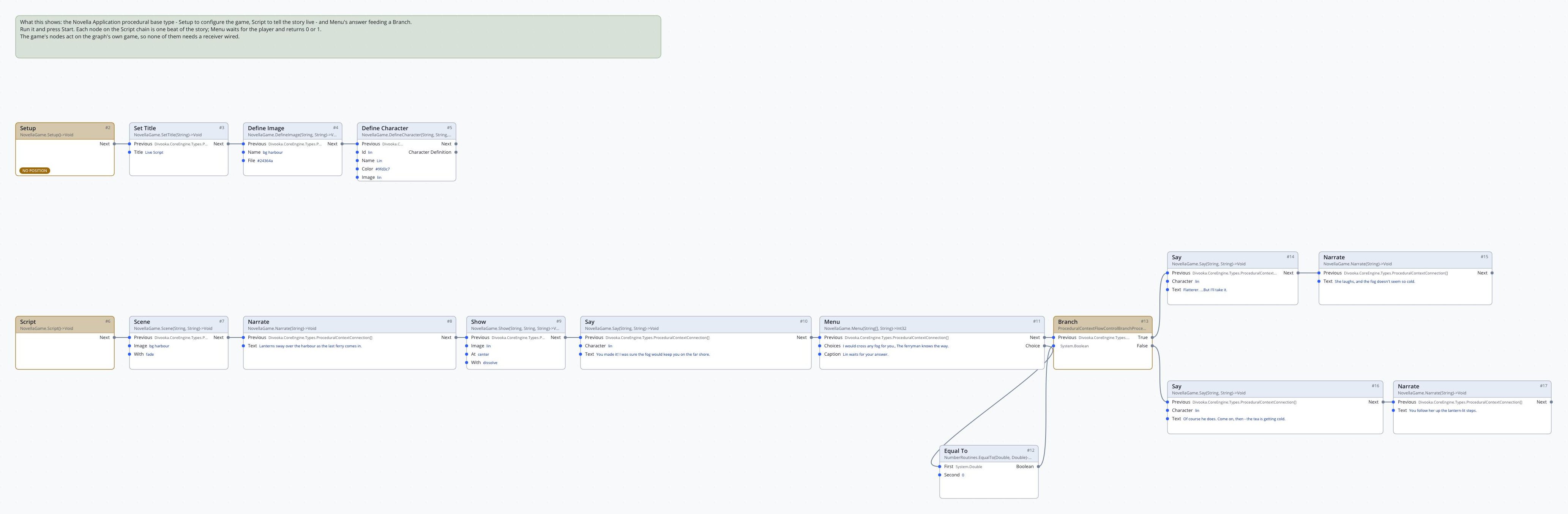
| Events | A game written as a class. The graph's base type is Novella Application, and it implements the game's callbacks: Setup, Script, Command, Label Entered and Game Ended. |
| Function | Describes a game as data: sequences, labels, a story, a Game Definition. |
| Flows | Calls such a function and previews what it returns, playing the game from the Properties panel with saves kept in memory and the developer console on. |
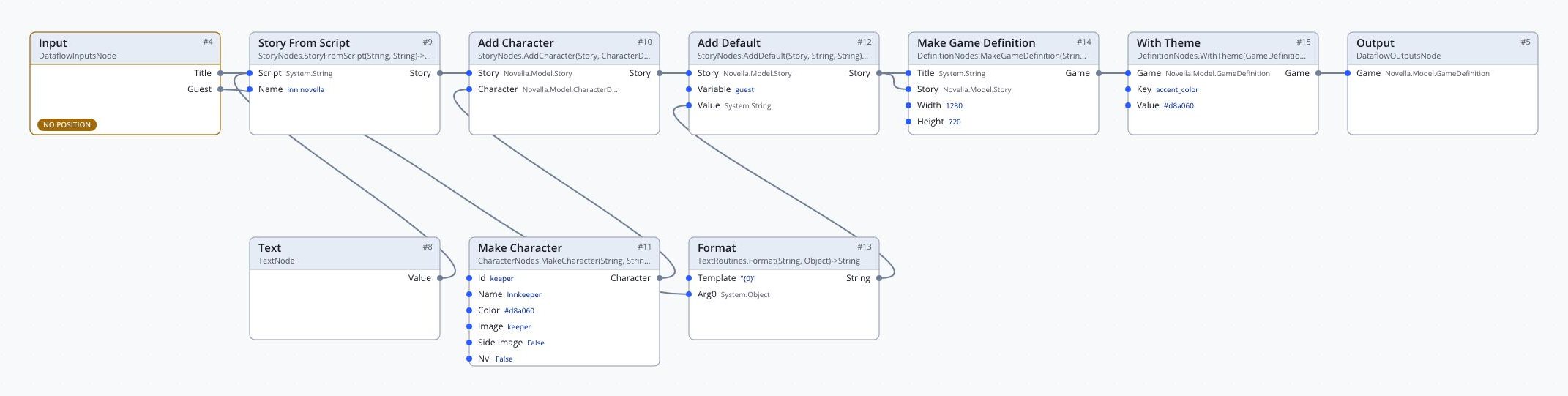
The graphs below are the Divooka example documents' own nodes, literals and wires, drawn headless by dvkview, a Parcel NExT utility, so they are plainer than the editor. Select one to see it at full size.
Procedural graphs
Make it, give it a story, run it
Routine graph: Hello Novella
Events graph: The Red Thread, whole
Events graph: a live script
Functional graphs
Describe, preview, run
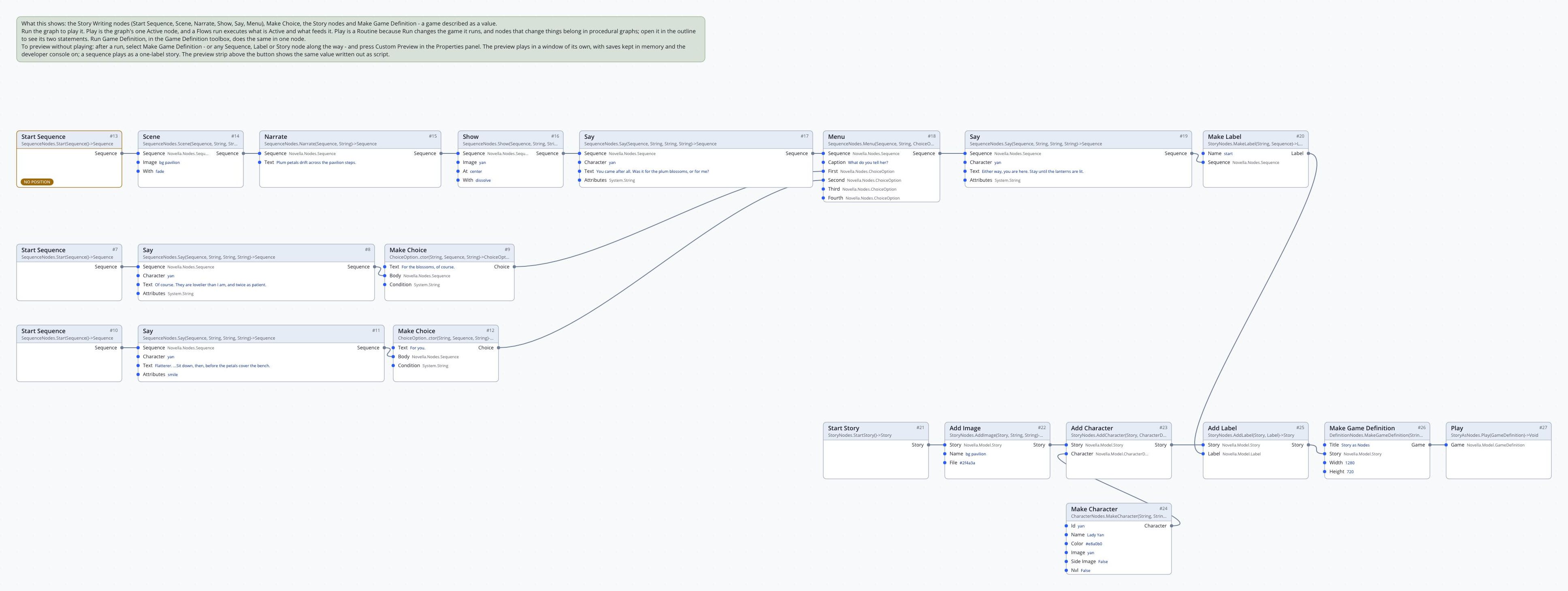
The Story Writing nodes are pure: each takes a sequence and returns a new one with one more statement, so a chain reads top to bottom like a script, and any node along it can be previewed on its own.
Flows graph: Story as Nodes
Function graph: Build Game
Flows graph: Game as a Function
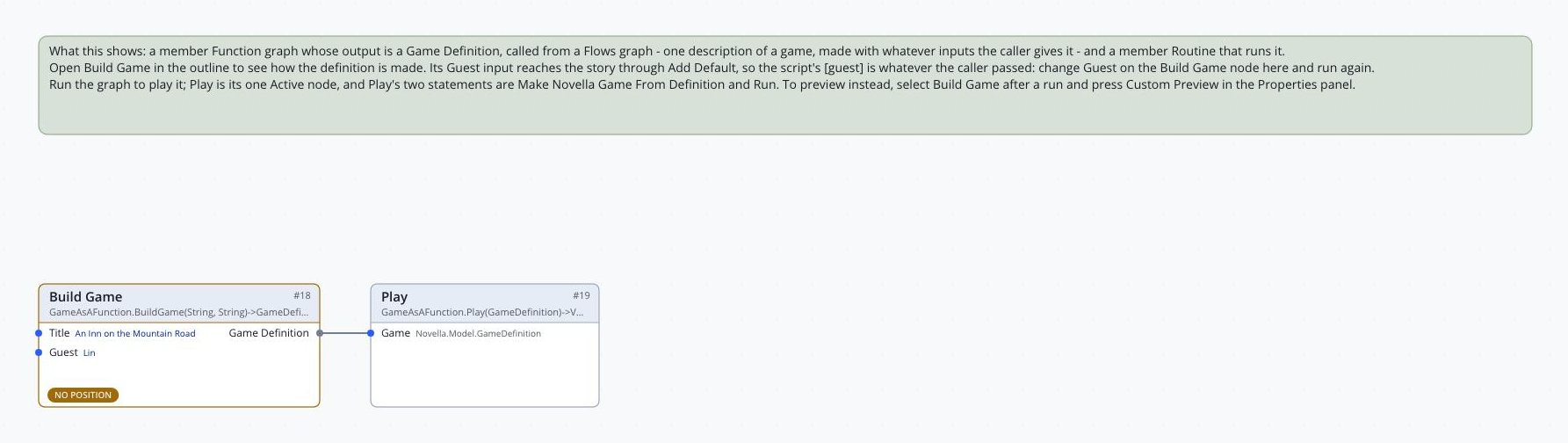
- Describe the game in a Function graph, building the story, characters and settings with the functional nodes, and return a Game Definition.
- Preview it from a Flows graph. The game plays on a thread of its own, with saves kept in memory, so a preview never touches a player's real saves.
- Run the same definition for real from a procedural graph: Make Novella Game From Definition and Run, or Run Game Definition.
One document
The whole game inside a Divooka document
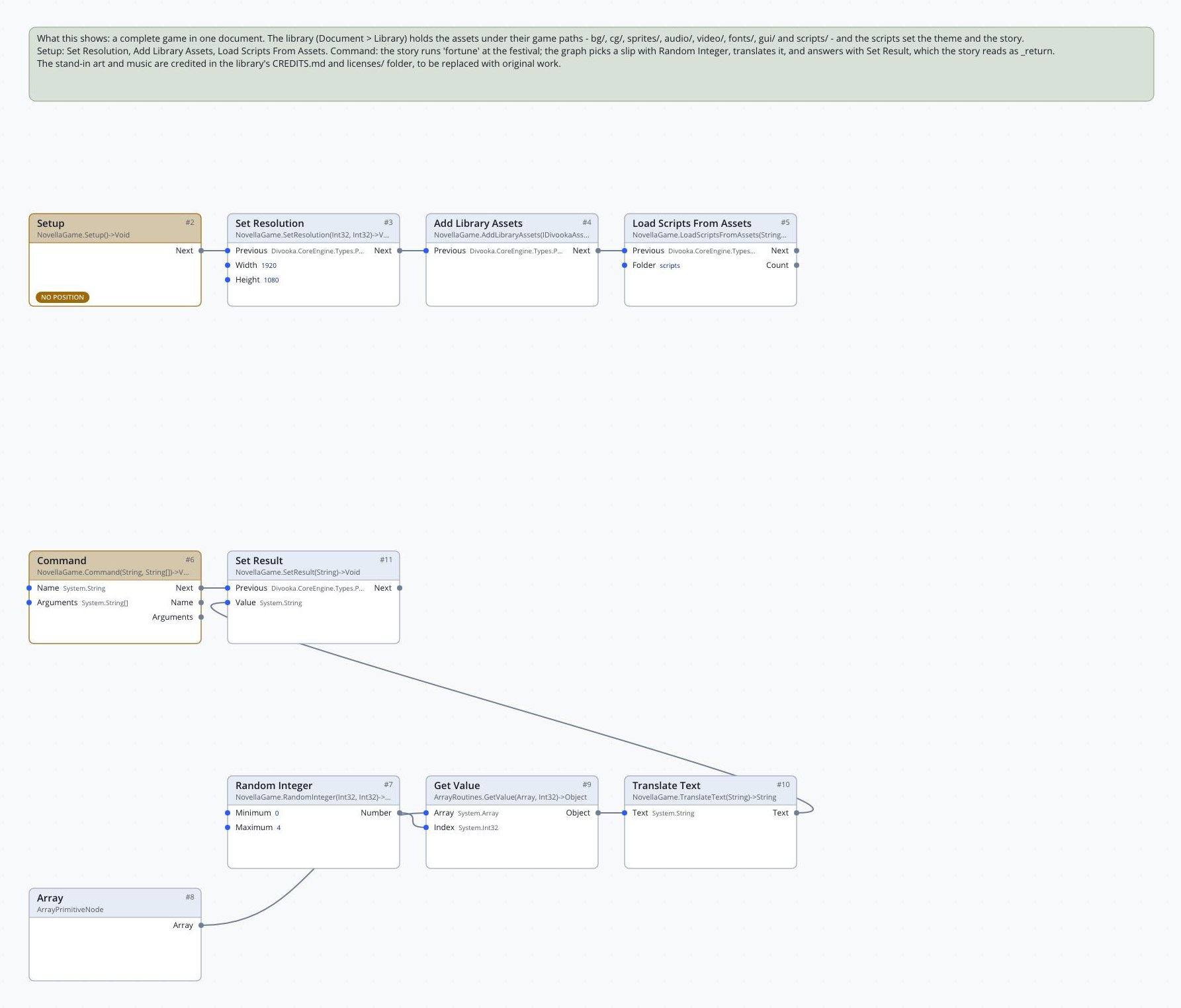
A Divooka document can carry its game: images, sounds, fonts, videos and scripts embedded in the document's asset library. Paths in the library are what the scripts refer to, and images name themselves from their paths there exactly as on disk.
Add Library Assets hands every file in the library to the game, and Load Scripts From Assets loads the scripts. The Red Thread ships this way in the Divooka Explore example pack: 87 files embedded in one document.

Without a line of script
A whole game in C#, or a whole game in nodes
The script language is one way in, not the only one. A C# programmer can write the whole story in code, and a Divooka author can build it entirely from nodes. Both produce the same story data a script does, so saving, loading, rollback and skipping work exactly the same.
- The C# story builder. Labels, menus, branches and changes to variables, written as fluent C#. Conditions and effects can be C# lambdas over the story's variables, or built values that read back as script.
- Conditions and effects as nodes. Compare Variable, Variable At Least, Has Visited, All Of, Set Variable, Add To Variable and the rest feed If, Make Choice and Apply Effect, so no expression is ever typed as text.
- Scenes. A scene is configuration: a background, music, its lines, and where the story goes next, whether to another scene, a choice between scenes, or a branch on a condition. Add the scenes to a story and the one named start begins the game.
story.Label("start", s =>
{
    s.Scene("bg plum_garden", with: "fade");
    s.Show("qinglan smile", at: "right", with: "dissolve");
    s.Say("q", "You came.");
    s.Menu(m =>
    {
        m.Choice("I did.", c => c.Add("affection", 1));
        m.Choice("I was passing.", c => c.Say("q", "Of course you were."));
    });
    s.If(v => v.Number("affection") > 0,
        then => then.Jump("tea"),
        otherwise => otherwise.Jump("walk"));
});